GST Basics
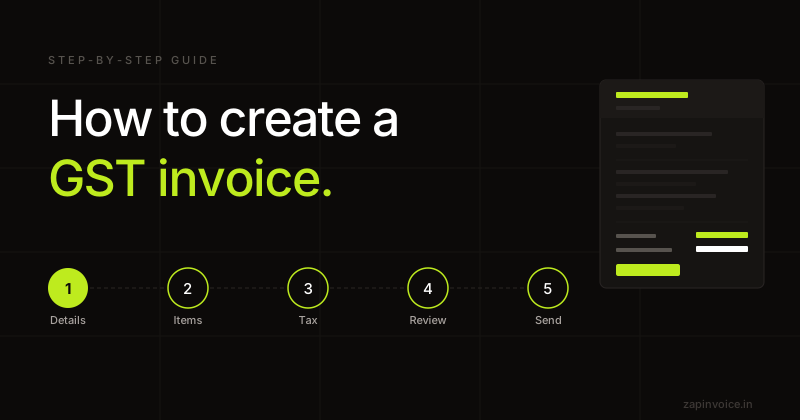
How to Create a GST Invoice in India (2026 Guide)
Everything you need to create a legally compliant GST invoice — mandatory fields, tax calculation, and common mistakes to avoid.
15 Jan 20269 min read

Create GST-compliant tax invoices in under a minute. CGST/SGST/IGST is split automatically based on place of supply. No sign-up required.
Overview
A tax invoice is the primary GST document issued by a registered supplier for the supply of taxable goods or services. Under Section 31 of the CGST Act, 2017 and Rule 46 of the CGST Rules, it must contain the supplier and recipient details, GSTIN, HSN/SAC, taxable value, rate of tax, and the amount of CGST, SGST/UTGST, or IGST charged.
A correctly issued tax invoice is what allows the recipient to claim Input Tax Credit (ITC). For intra-state supply, GST is split into CGST and SGST in equal halves. For inter-state supply, the full GST is charged as IGST. The split is determined by the place of supply, not the billing address.
Tax invoices for goods must be issued at or before the time of removal; for services, within 30 days of supply (45 days for banking and insurance).
Fields
How it works
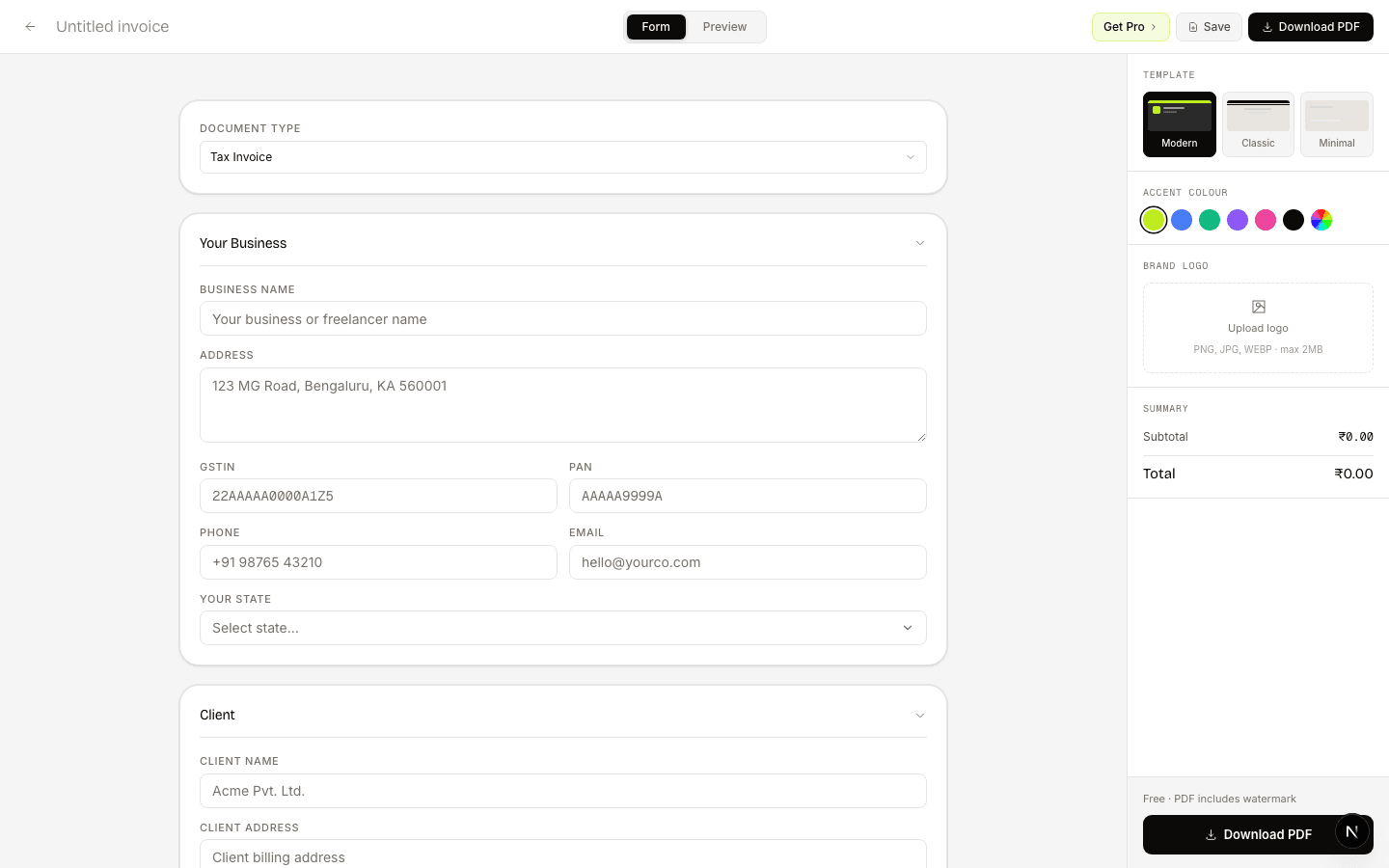
Add your business GSTIN, the customer info, and line items. The builder auto-fills place-of-supply logic.
CGST/SGST/IGST split, totals, and amount-in-words update in real time on the PDF preview.
One click downloads a print-ready, GST-compliant PDF. No sign-up required.
What freelancers say
Switched from Zoho last month — haven't looked back. The CGST/SGST split is automatic, and the one-click GSTR-1 export saves my CA hours at the end of every month.
Had a cross-state client situation I was calculating wrong for months. ZapInvoice just switches to IGST automatically — no more manual guessing, no more wrong invoices.
I bill 15+ clients a month and used to chase every single one. Now ZapInvoice auto-reminds them on day 3, 7 and 14 — most pay before I even notice. Pro pays for itself.
FAQ
Everything you need to know about tax invoice generation.
Yes. You can create and download unlimited tax invoices for free, with no sign-up required — free invoices carry a small watermark. A free account also saves up to 100 invoices to your history, with 25 saved clients and 25 products. Pro removes the watermark, makes all of those unlimited, and adds custom branding, one-click email sending, automated payment reminders, recurring invoices, and GSTR-1 export.
Yes. The builder compares your state code with the place-of-supply state code. Same state → CGST + SGST (equal halves). Different state → IGST (full amount). No manual calculation.
A tax invoice can only legally be issued by a GST-registered supplier. If you are unregistered, use the Bill of Supply generator instead.
For FY 2025-26: 4-digit HSN is required if your turnover is ≤ ₹5 Cr (only on B2B), and 6-digit if turnover is > ₹5 Cr. 8-digit is mandatory for exports and notified chemicals.
A dynamic UPI QR is mandatory only for B2C invoices issued by businesses with aggregate turnover > ₹500 Cr. For everyone else it is optional but recommended for faster payment.
For goods: three copies — Original for Recipient, Duplicate for Transporter, Triplicate for Supplier. For services: two copies — Original for Recipient, Duplicate for Supplier.
No. Once issued, a tax invoice cannot be altered. To correct values, issue a Credit Note (reduces value) or Debit Note (increases value) referencing the original invoice.
Free to use
No account needed. Fill in, preview, and download a PDF in under 60 seconds.
Guides
Everything you need to create a legally compliant GST invoice — mandatory fields, tax calculation, and common mistakes to avoid.
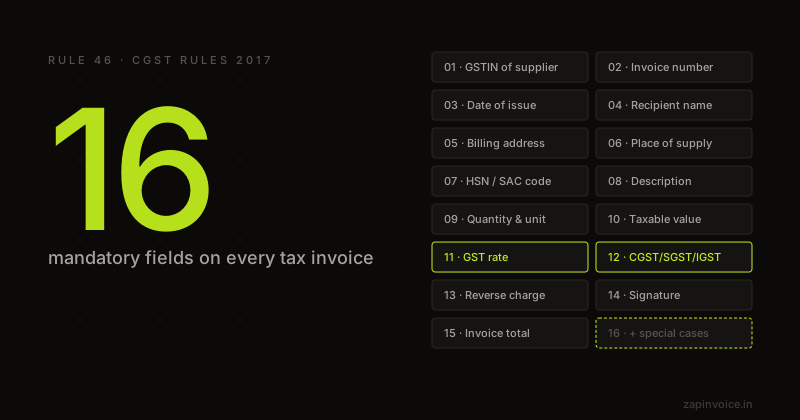
The complete GST invoice format under Rule 46 — every mandatory field explained with examples and compliance tips.
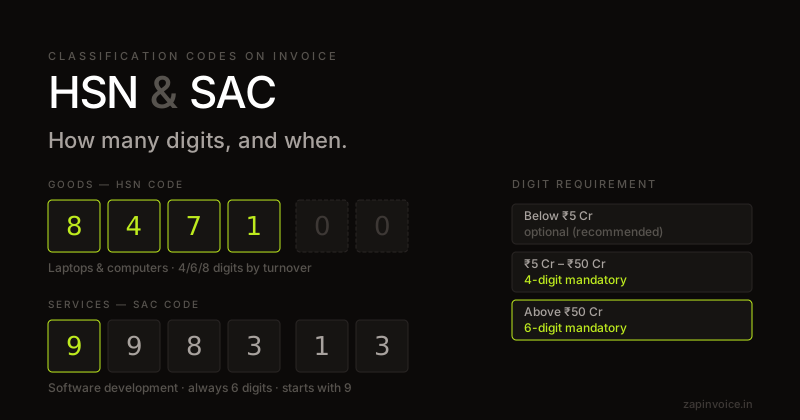
HSN and SAC codes classify what you're selling under GST. Here's which code to use, how many digits are required, and a lookup for the most common categories.