Advanced
E-Way Bill vs E-Invoice: Key Differences Explained (2026)
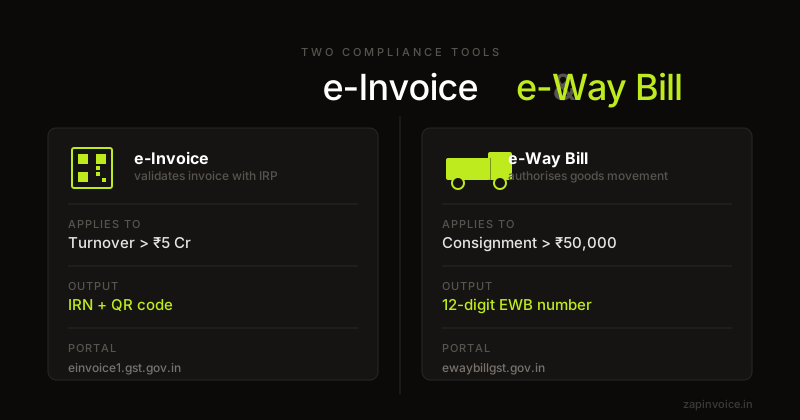
E-way bill and e-invoice are both GST compliance tools — but they serve very different purposes. Here's when each applies and how they link together.
26 Feb 20269 min read

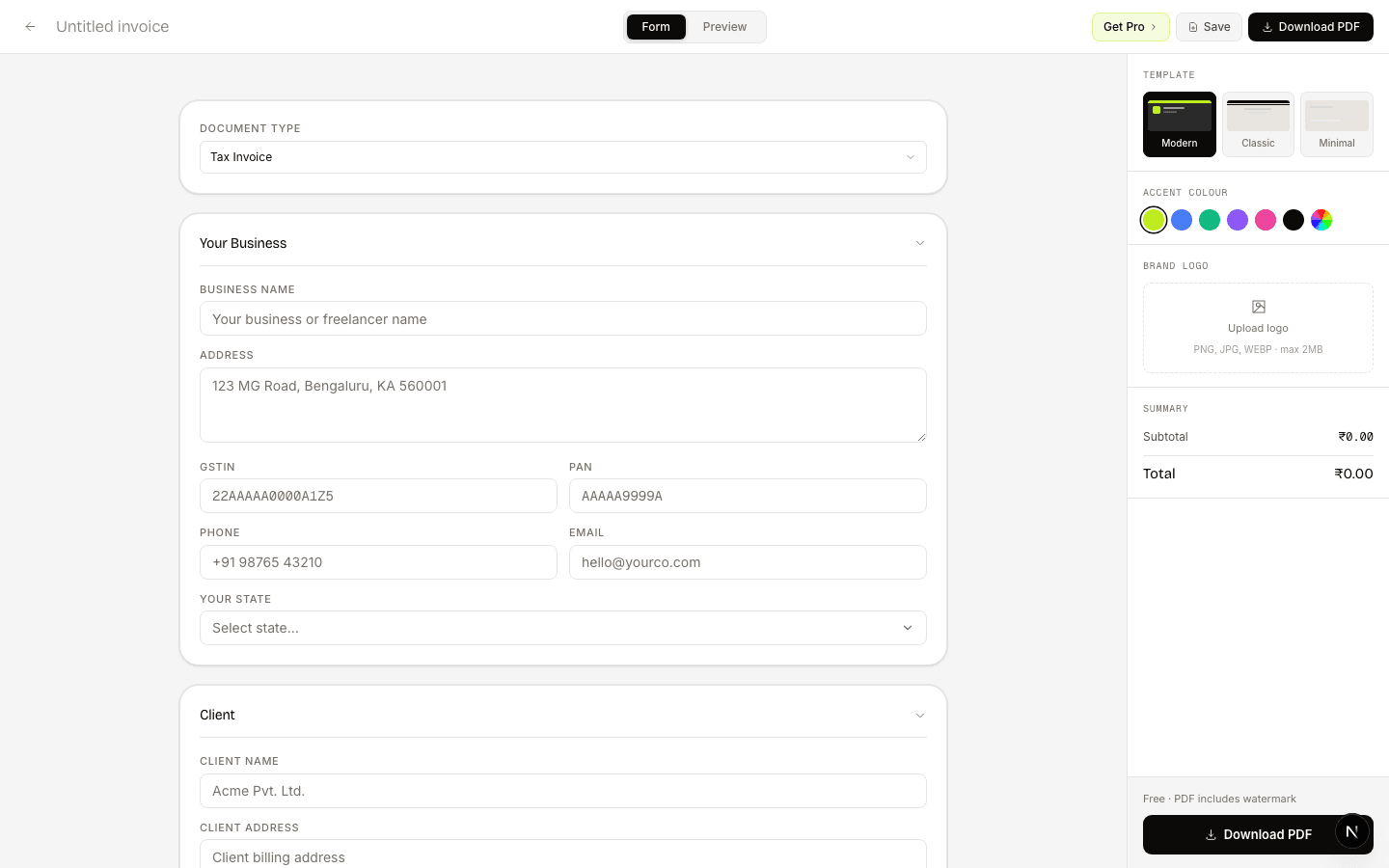
For movement of goods without sale — job work, branch transfer, or goods sent on approval. Includes transporter and e-Way Bill fields.
Overview
A delivery challan is issued under Rule 55 of the CGST Rules whenever goods are moved without an immediate sale taking place. Common cases are sending goods for job work, transferring stock between branches under the same GSTIN, sending goods on approval / sale-or-return, or moving goods for exhibition.
Because there is no supply, no GST is charged on a delivery challan — but the document is still a legal proof of movement and must be carried with the consignment. It must be issued in triplicate: Original for Consignee, Duplicate for Transporter, Triplicate for Consigner.
For inter-state movement above ₹50,000 (or intra-state above the state's threshold), an e-Way Bill is also required referencing the challan. For job work, the movement is additionally reported in form ITC-04 every quarter.
Fields
How it works
Add consigner, consignee, purpose of movement, items and transporter info.
Three copies are laid out per the CGST Rule 55 format automatically.
Print and hand a copy to the transporter. Generate the e-Way Bill referencing the challan number.
What freelancers say
Switched from Zoho last month — haven't looked back. The CGST/SGST split is automatic, and the one-click GSTR-1 export saves my CA hours at the end of every month.
Had a cross-state client situation I was calculating wrong for months. ZapInvoice just switches to IGST automatically — no more manual guessing, no more wrong invoices.
I bill 15+ clients a month and used to chase every single one. Now ZapInvoice auto-reminds them on day 3, 7 and 14 — most pay before I even notice. Pro pays for itself.
FAQ
Everything you need to know about delivery challan generation.
No. A delivery challan is for movement of goods, not a sale, so no GST is charged. The challan shows an approximate value for transport / customs purposes only.
For inter-state movement of goods worth more than ₹50,000, an e-Way Bill is required regardless of whether the document is a tax invoice or a delivery challan. Intra-state thresholds vary by state.
Only in the specific cases allowed by Rule 55 (job work, branch transfer, goods on approval, supply with unascertainable quantity). For a normal sale, you must issue a tax invoice.
Three — Original for Consignee, Duplicate for Transporter, Triplicate for Consigner. Our PDF generates all three on separate pages.
When the processed goods return, you reference the same challan number. The movement is reported quarterly in form ITC-04. If goods don't return within 1 year (3 years for capital goods), it is deemed a supply and you must issue a tax invoice.
Yes — once the buyer confirms purchase (e.g. for goods sent on approval), you issue a tax invoice referencing the challan. Our builder supports one-click convert.
Free to use
No account needed. Fill in, preview, and download a PDF in under 60 seconds.
Guides
E-way bill and e-invoice are both GST compliance tools — but they serve very different purposes. Here's when each applies and how they link together.
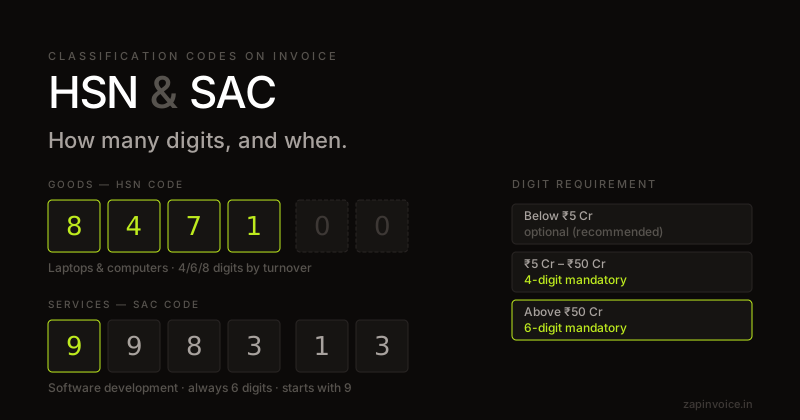
HSN and SAC codes classify what you're selling under GST. Here's which code to use, how many digits are required, and a lookup for the most common categories.
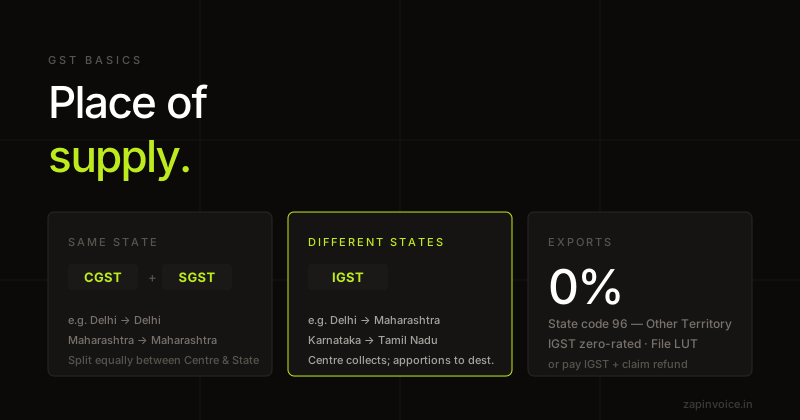
Place of supply is the single most important concept that determines which GST component you charge. Get it wrong and your buyer loses ITC. Here is how it works for goods, services, and exports.