Compliance
Debit Note and Credit Note Under GST: Complete Guide (2026)
Issued an invoice with the wrong amount or rate? Here's how credit notes and debit notes work under GST to correct it without violating compliance.
12 Feb 20268 min read

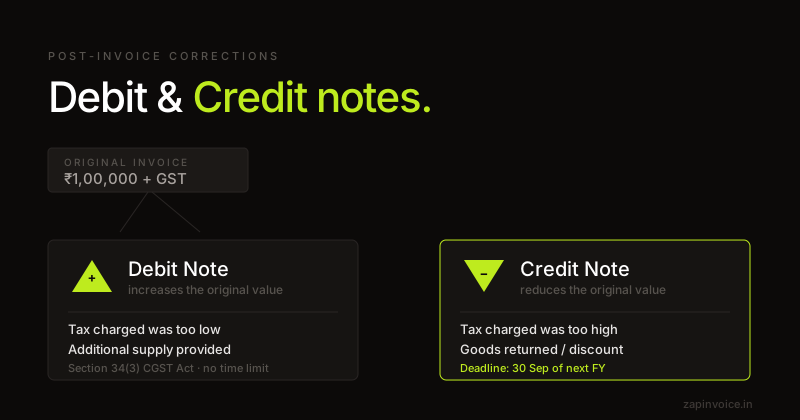
Issue a debit note when you under-invoiced the buyer — price escalation, additional supply, or a missed tax line on the original invoice.
Overview
A debit note is issued by a supplier to a buyer when the taxable value or tax shown on the original tax invoice was lower than what should have been charged. Section 34 of the CGST Act allows a debit note (also called a supplementary invoice) to top up the original invoice for price escalation, additional supply found post-issue, or correction of an undercharge.
Unlike a credit note, a debit note increases the supplier's output GST liability. The buyer can claim additional ITC on the debit note subject to the normal ITC time-limit (30th November of the next financial year or annual-return filing date, whichever is earlier).
A debit note must reference the original invoice number and date, and is reported in Table 9B of GSTR-1 alongside credit notes.
Fields
How it works
Reference the original invoice, pick a reason code, and add the additional value being charged.
Tax split matches the original invoice. The debit note declaration prints automatically.
Send to the buyer and report the debit note in Table 9B of GSTR-1.
What freelancers say
Switched from Zoho last month — haven't looked back. The CGST/SGST split is automatic, and the one-click GSTR-1 export saves my CA hours at the end of every month.
Had a cross-state client situation I was calculating wrong for months. ZapInvoice just switches to IGST automatically — no more manual guessing, no more wrong invoices.
I bill 15+ clients a month and used to chase every single one. Now ZapInvoice auto-reminds them on day 3, 7 and 14 — most pay before I even notice. Pro pays for itself.
FAQ
Everything you need to know about debit note generation.
A debit note is a supplementary document tied to a specific earlier invoice — it adjusts that invoice. A fresh tax invoice is for an independent new supply. Use a debit note only when topping up an existing transaction.
Table 9B (Credit/Debit notes — registered) for B2B and Table 9B/9C for B2C. Same place as credit notes — direction (positive value) tells the system it's a debit.
Practically, yes — the buyer will only claim the additional ITC if they accept the debit note. If they refuse, you still owe the additional GST but they won't get the ITC.
No statutory upper limit for issuance, but the buyer's ITC on the debit note is time-barred by 30th November of the following financial year. Issue promptly.
Yes — from 2021, a consolidated debit note covering multiple invoices is allowed, provided each original invoice reference is listed. Our PDF supports multi-invoice references.
A credit note reduces value/tax (return, discount, overcharge). A debit note increases value/tax (escalation, additional supply, undercharge). They're mirror images.
Free to use
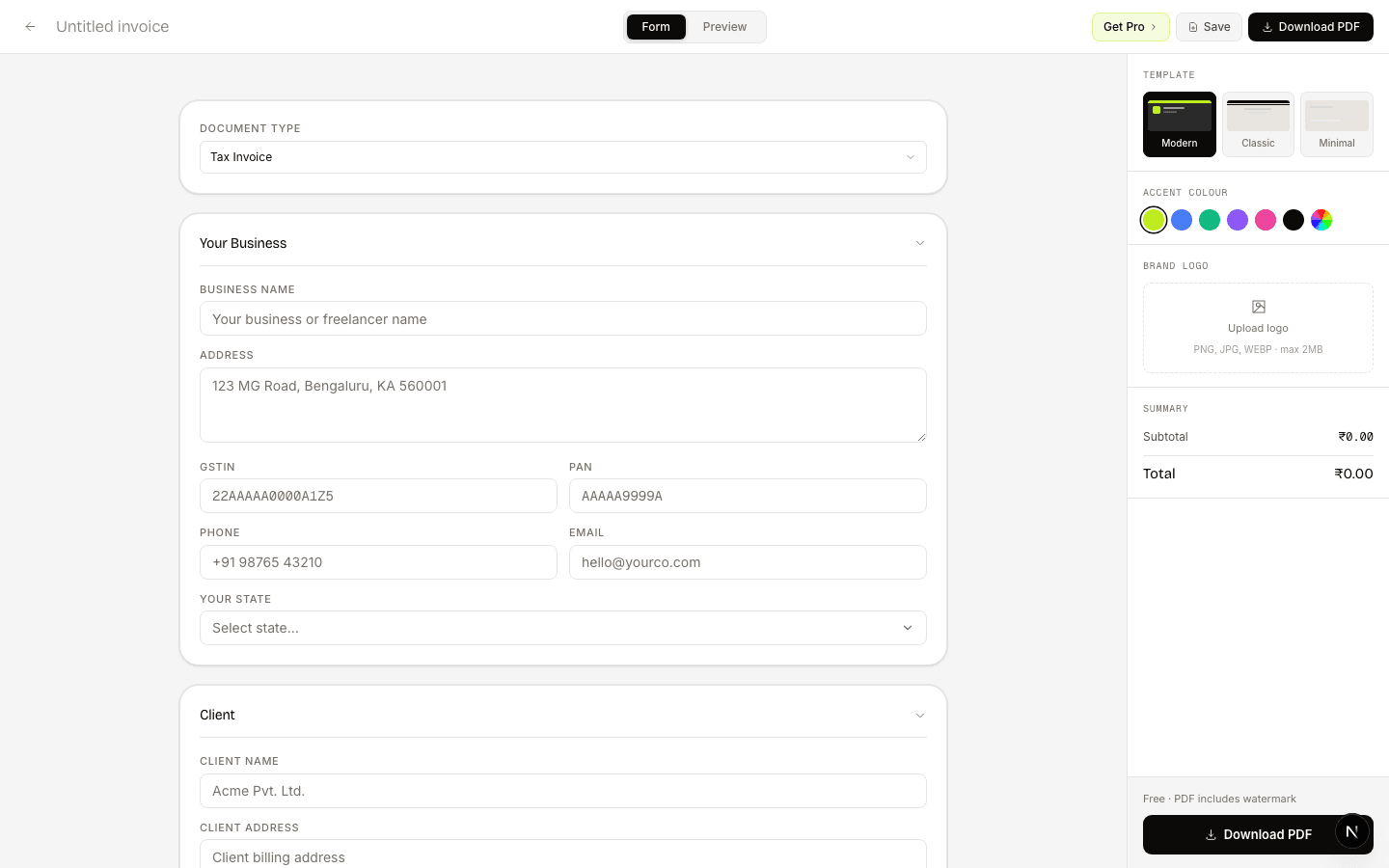
No account needed. Fill in, preview, and download a PDF in under 60 seconds.
Guides
Issued an invoice with the wrong amount or rate? Here's how credit notes and debit notes work under GST to correct it without violating compliance.
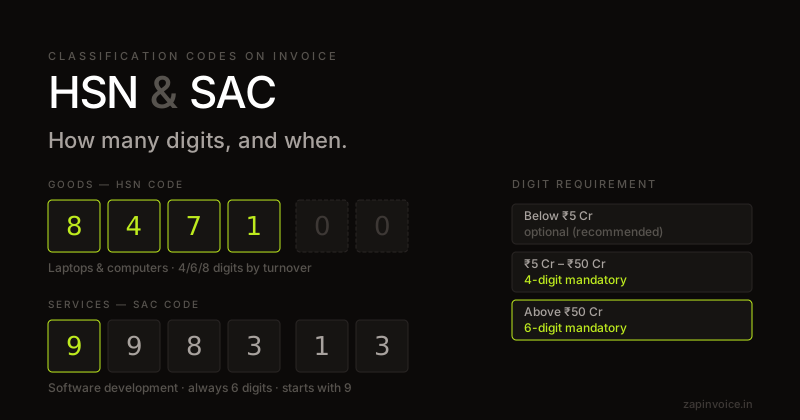
HSN and SAC codes classify what you're selling under GST. Here's which code to use, how many digits are required, and a lookup for the most common categories.
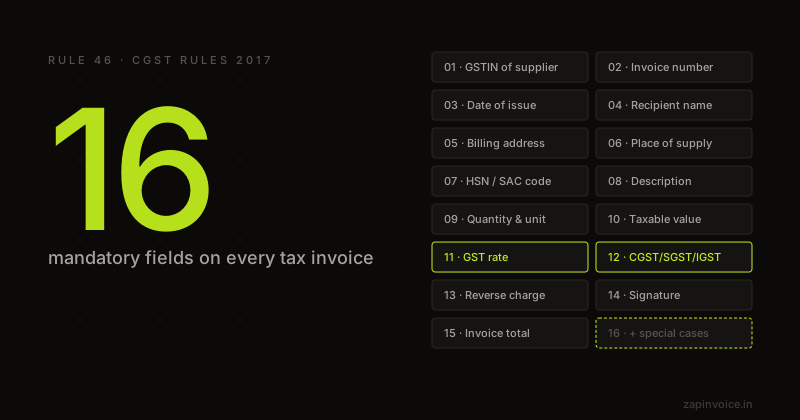
The complete GST invoice format under Rule 46 — every mandatory field explained with examples and compliance tips.